Chrome extension
Reddit Chrome extension for subreddit stats
Open any subreddit on Reddit, click the KissMyPost icon and a side panel shows how the community works: when posts do best, who writes there, how fast it grows and what gets removed. No tab switching, no spreadsheets.
Free · Chrome 116+ · side panel · since
How it works
- 1.
Add KissMyPost to Chrome
Install the extension from the Chrome Web Store. It works in Chrome 116 or newer.
- 2.
Open a subreddit
Go to any subreddit page on reddit.com, for example r/marketing.
- 3.
Click the icon
Click the KissMyPost icon in the toolbar. The side panel opens next to Reddit and stays open while you switch tabs.
What the side panel shows
When to post
The first cards answer the question most people open a subreddit with.
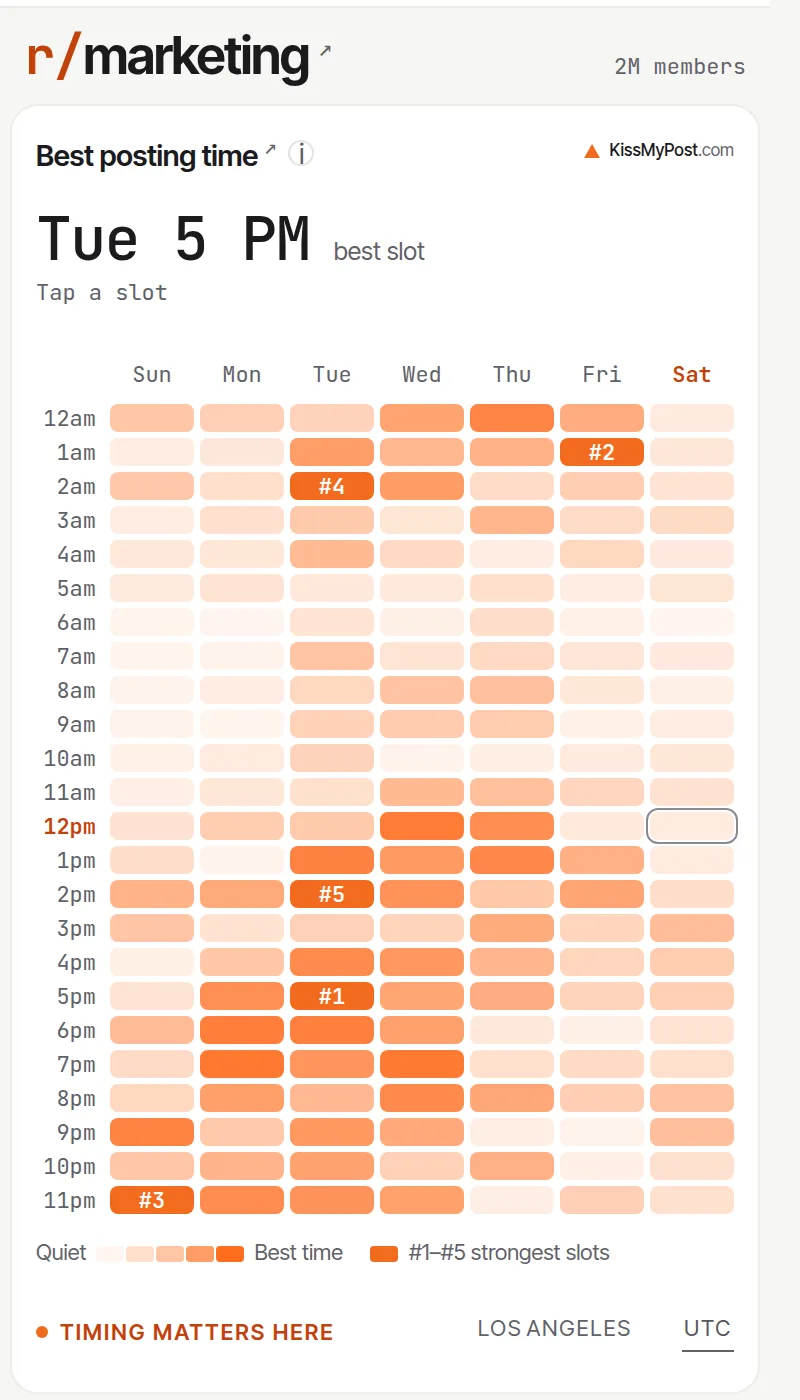
- Best posting time — The day and hour when posts in this subreddit tend to do best, and whether timing matters here at all.
- Best hour — A 24-hour view in UTC or your own time zone, so you can see the window, not just a single number.
- Posts by weekday — How posting is spread across the week compared with an even split of 14.3% per day.
What to post
What the posts that do well actually look like in this community.
- Title length — The title lengths that perform best, so you know whether a short hook or a descriptive title fits.
- Body length — How long successful text posts are, and whether the subreddit requires a body at all.
- Media mix — The share of text, image, video and link posts.
- Topics — The main themes people discuss in the subreddit (paid plans).
Who writes here
Estimated demographics of the people who post and comment.
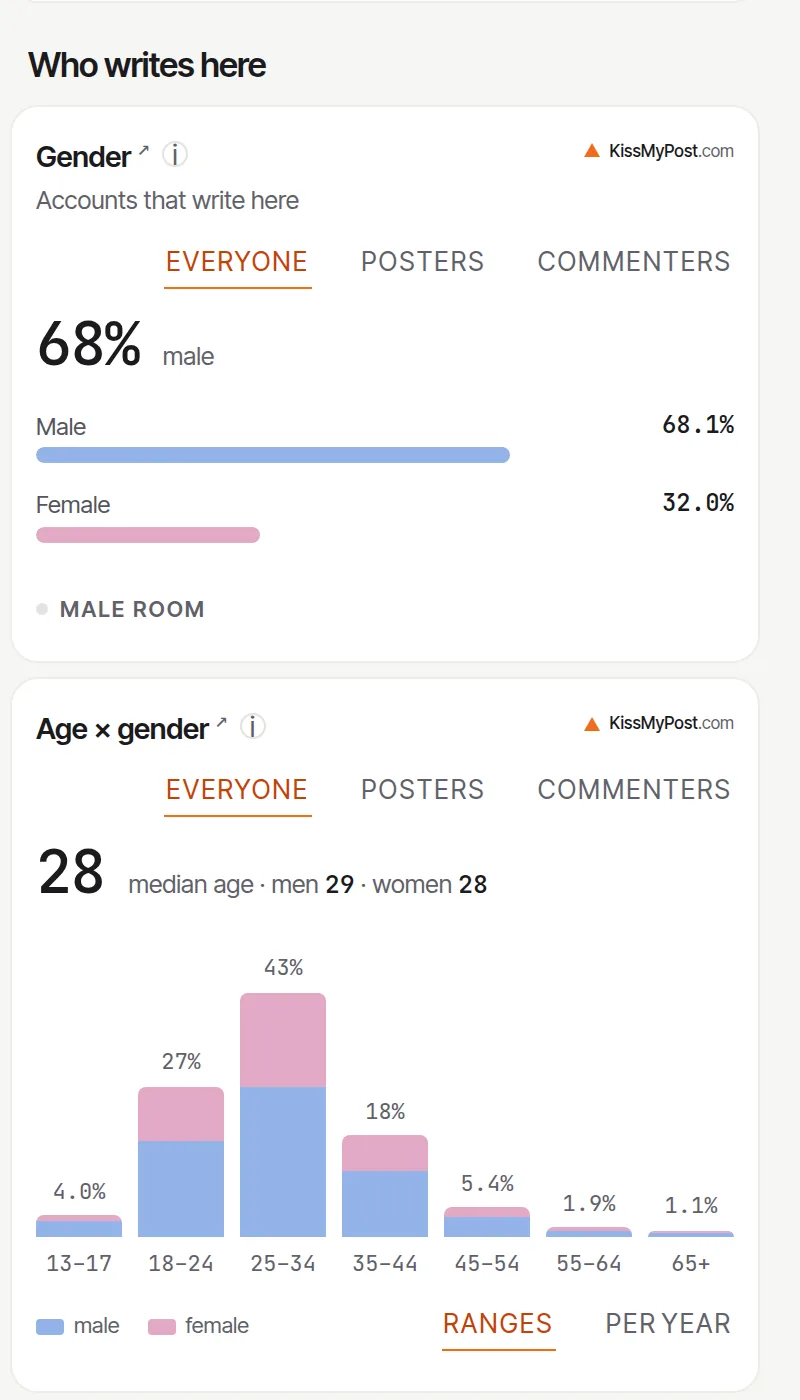
- Gender and age — Estimated gender split and age groups of active members.
- Countries — Where the active audience is. The free plan shows the top two countries, paid plans show the full list.
- Similar subreddits — Communities with similar topics or an overlapping audience, a quick way to find more places to post.
Growth and activity
Whether the subreddit is alive, growing or slowing down.
- Monthly activity — Posts, comments and active authors per month.
- Subscriber growth — How the member count has changed since the subreddit was created.
- Seasonality — Which months are busy and which are quiet.
How they talk
The vocabulary of the community.
- Words and phrases — The words and phrases that set this subreddit apart from the rest of Reddit.
- Brands — Which brands and products members mention (paid plans).
- Tone — How heated or calm the discussion usually is.
Can you post
The part that saves you from a removed post.
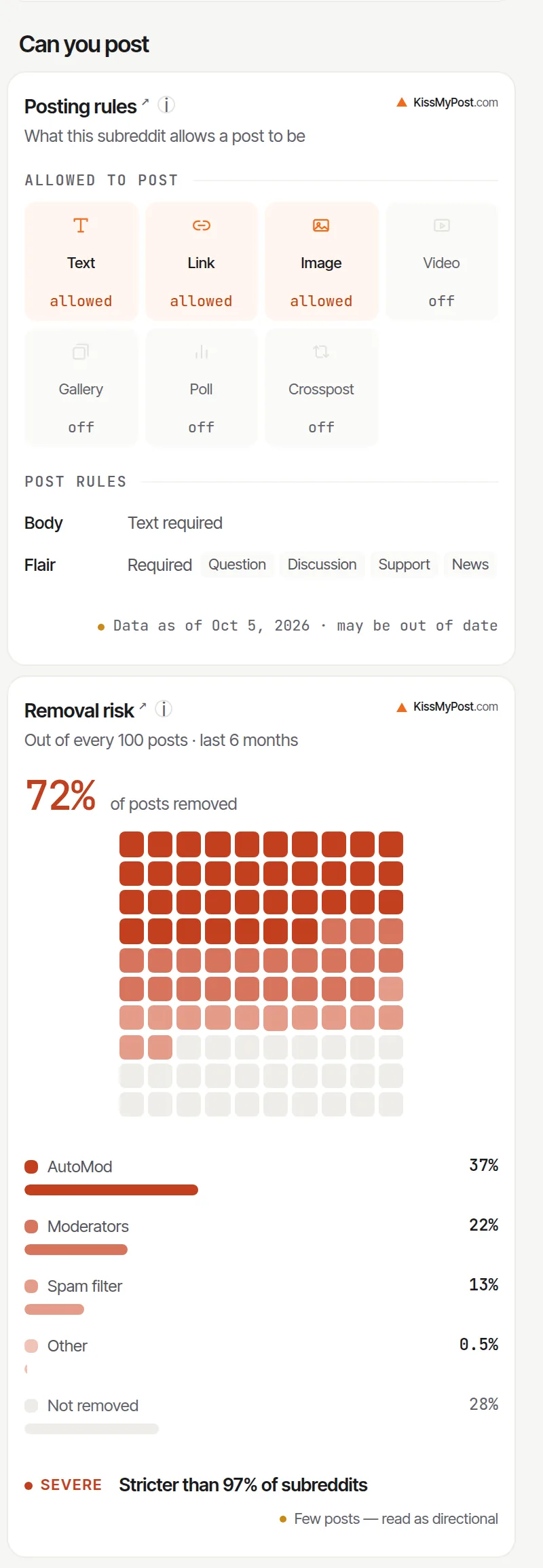
- Posting rules — Self-promotion policy and post requirements, such as whether a text body or flair is required.
- Removal risk — How often posts in this subreddit are removed, so you know how strict the moderators are.
Who it is for
- Founders and marketers — Check a subreddit before you share a launch, so the post goes out at the right hour and does not break a self-promotion rule.
- Content creators — See which post formats and title lengths work in a community before you write.
- Researchers — Get the size, growth and audience of a community without exporting data.
- Moderators — Compare your subreddit's activity, growth and removal rate with similar communities.
Free and paid
Without an account you can check a few subreddits a week. A free account raises that to 8 different subreddits per week, and reopening one you already checked does not use another check. Paid plans have no weekly limit and unlock all countries, similar communities, keywords, phrases, topics and brand mentions. See plans.
Try it on these subreddits
Open any of these on Reddit with the extension, or read the same stats on the web:
Related tools
FAQ
Is the KissMyPost Chrome extension free?
Yes. Without an account you can check 3 different subreddits per week. A free account raises that to 8. Reopening a subreddit you already checked that week does not use another check. Paid plans remove the weekly limit and unlock all countries, similar communities, keywords, phrases, topics and brand mentions.
How do I see stats for a subreddit?
Install the extension, open the subreddit on reddit.com and click the KissMyPost icon in the Chrome toolbar. The report opens in a side panel next to the page.
Does it show subreddit traffic?
Reddit does not publish page views for subreddits. The extension shows what can be measured from public activity: posts, comments and active authors per month, subscriber growth and seasonality.
How does it find the best time to post?
It looks at when posts in that subreddit were published and how they performed, then shows the day and hour that stand out. If timing makes little difference in a subreddit, the card says so.
Where does the data come from?
From public Reddit posts and comments that KissMyPost has collected and analyzed since 2005. Age, gender and countries are statistical estimates for the active audience, not data about individual users.
Does the extension read my Reddit account or post for me?
No. It only reads the address of the tab you are on to know which subreddit to show. It never posts, votes or reads your messages.
Which permissions does it need?
activeTab to read the subreddit name from the current tab when you click the icon, sidePanel to show the report next to the page, and storage to keep your account key on your device. It only talks to kissmypost.com.
Does it work on old.reddit.com and other browsers?
It reads the subreddit name from the page address, so any subreddit URL on reddit.com works. It is built for Chrome 116 or newer.
Subreddit stats right on Reddit.
Add to Chrome — it's free